Robotic lawn mowers represent a significant leap in home lawn care, offering the convenience of a perfectly manicured garden without the manual labor. These autonomous machines, a smart investment for any homeowner, are designed to effortlessly maintain your lawn, allowing you to reclaim valuable time. However, like any sophisticated piece of technology, their continued optimal performance and longevity depend heavily on consistent and proper maintenance. Neglecting regular care can lead to decreased efficiency, premature wear, costly repairs, and a less-than-perfect lawn finish. By committing to a simple routine of preventative maintenance, you can ensure your robotic lawn mower operates smoothly, efficiently, and effectively for many years, delivering a consistently pristine lawn while maximizing your investment. This comprehensive guide will walk you through essential maintenance practices, helping you keep your automated gardener in peak condition.
1. Regular Cleaning for Optimal Performance
Maintaining the cleanliness of your robotic lawn mower is perhaps the most fundamental and impactful maintenance task you can undertake. Over time, grass clippings, dirt, dust, and other garden debris can accumulate on various parts of the mower, including the blades, wheels, and critical sensors. This build-up isn’t merely aesthetic; it can significantly hinder the mower’s performance, leading to uneven cuts, increased motor strain, reduced battery life, and even sensor malfunctions that affect navigation.
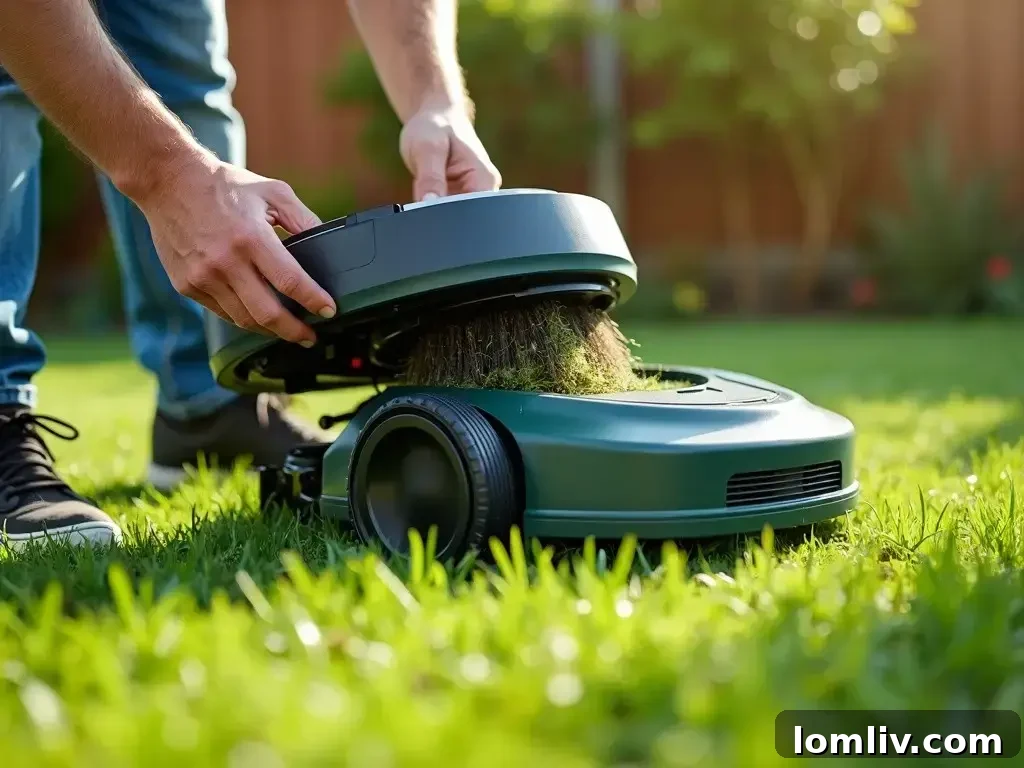
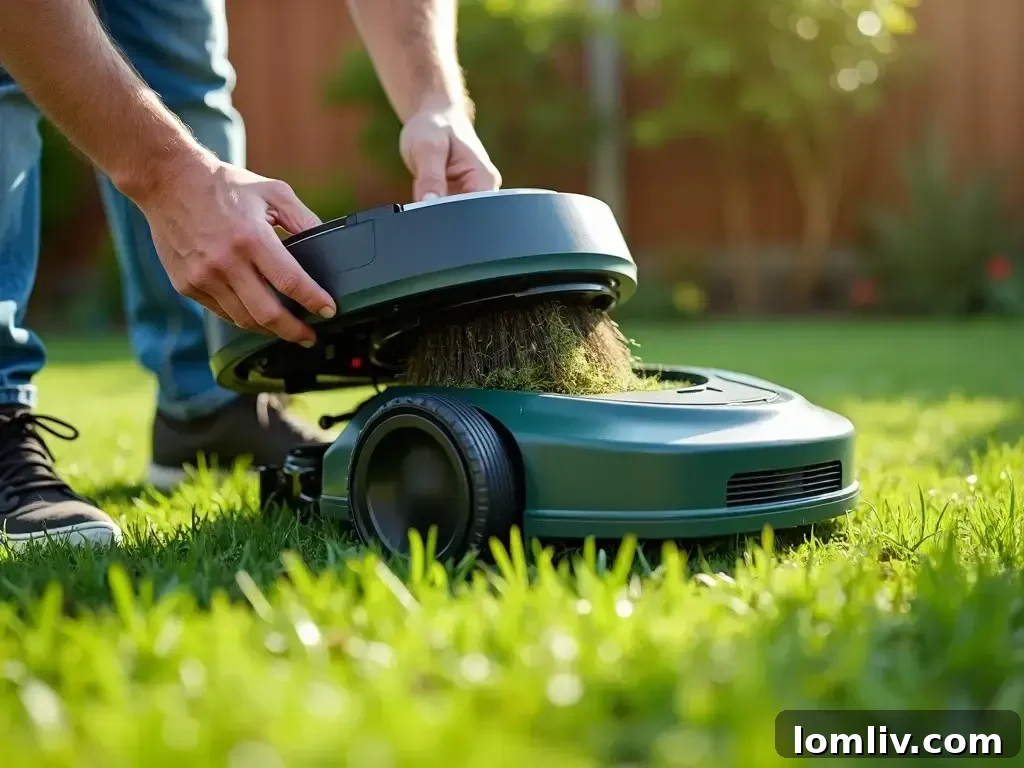
To keep your mower operating at its best, it’s advisable to remove it from its charging station regularly – ideally after every few mowing cycles or at least once a week, depending on your lawn’s condition and the mower’s usage. Start by turning off the mower completely and removing the safety key or battery if your model requires it. Gently tip the mower over to access its undercarriage. Using a soft brush, a damp cloth, or even compressed air, carefully remove any trapped grass clippings, mud, and dirt from around the cutting deck, blades, and wheel wells. Pay particular attention to the sensors, as even a thin layer of grime can impair their ability to detect boundaries or obstacles accurately. When cleaning, always exercise caution around the sharp blades. A crucial warning: avoid using high-pressure water jets directly on your robotic lawn mower. The sensitive electronic components and seals are not designed to withstand such force, and water ingress can lead to severe damage and costly repairs. Consistent cleaning not only extends the life of your mower but also ensures it can navigate and cut efficiently without unnecessary blockages or overheating, translating to a healthier, more uniformly cut lawn.
2. Inspect and Sharpen/Replace Blades Periodically
The blades are the heart of your robotic lawn mower’s ability to deliver a pristine cut. Just like manual lawn mowers, the blades of your autonomous unit will inevitably dull, chip, or become damaged over time due to contact with grass, twigs, stones, and other lawn debris. Dull or damaged blades don’t cut cleanly; instead, they tear the grass, leading to ragged edges that can turn brown, making your lawn appear unhealthy and susceptible to disease. Furthermore, a dull blade forces the mower’s motor to work harder, consuming more battery power and increasing wear and tear on the machine’s internal components.
Regular inspection of the blades is crucial. Turn off your mower, remove the safety key, and wear protective gloves before handling the blades. Carefully examine the cutting edges for any signs of dullness, nicks, chips, or bends. The frequency of blade inspection and replacement/sharpening depends on several factors: the size of your lawn, the type of grass, the presence of debris, and the specific blade design of your mower model. Some robotic mowers use small, razor-like disposable blades that are typically designed for replacement every 1 to 3 months. These blades are inexpensive and easy to swap out, offering a fresh, sharp cut each time. Other models feature more robust, fixed blades that can be sharpened. If your mower has sharpenable blades, you can either sharpen them yourself using a suitable sharpening tool or have them professionally sharpened. Always ensure blades are balanced after sharpening to prevent vibration and damage to the mower. Following the manufacturer’s recommendations for blade maintenance is paramount, as using incorrect blades or improper sharpening techniques can compromise the mower’s performance and safety. Maintaining sharp blades is a simple yet effective way to ensure a beautiful, healthy lawn and optimize your mower’s efficiency.
3. Inspect the Wheels and Tracks for Smooth Operation
The mobility and navigation of your robotic lawn mower are entirely dependent on the condition of its wheels or tracks. These components are responsible for traversing your lawn, climbing slight inclines, and ensuring an even cutting pattern. Over time, wheels can accumulate grass clippings, mud, and dirt, especially after operating in damp conditions. This build-up can clog the wheel mechanisms, reducing traction and causing the mower to struggle, move erratically, or even get stuck. This not only frustrates the mowing process but also puts undue strain on the drive motor, potentially leading to premature wear.
After each mowing session or at least weekly, take a moment to inspect the wheels (or tracks) thoroughly. Using a stiff brush or a damp cloth, clear away any accumulated debris from the wheel treads and axles. Check for any signs of wear, cracks, or punctures, particularly if your lawn has uneven terrain, rough patches, or often contains small obstacles. For tracked mowers, ensure that the tracks are intact, free from tears or excessive slack, and that their tension is appropriate as per the manufacturer’s guidelines. Well-maintained wheels and tracks ensure smooth navigation, optimal traction, and reduce unnecessary stress on the mower’s drive system, contributing significantly to its overall lifespan and efficient operation. Keeping these components clean and in good repair guarantees that your robot can maneuver effortlessly across your garden, ensuring complete and consistent coverage.
4. Maintain Optimal Battery Health for Extended Run Time
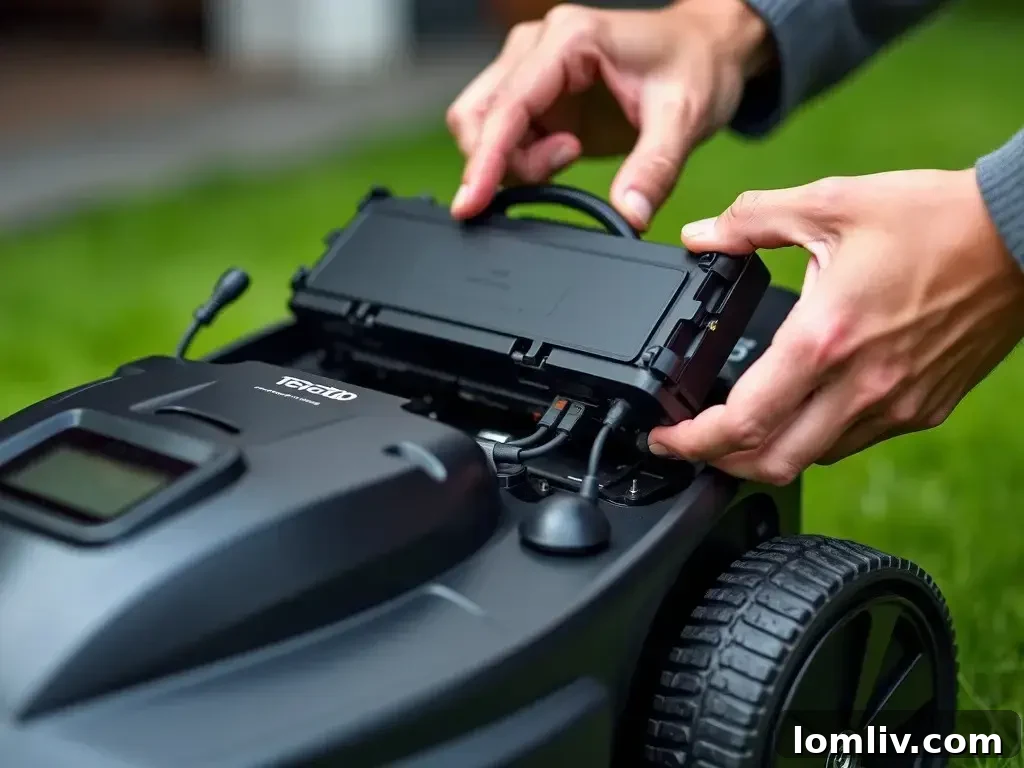
The battery is the vital powerhouse of your robotic lawn mower, determining its run time, efficiency, and ultimately, its operational lifespan. Proper battery care is paramount to maximize its performance and avoid premature degradation. Most modern robotic mowers are designed with intelligent charging systems that automatically guide them back to their charging station when the battery is low, effectively preventing complete deep discharges which can be detrimental to battery health. However, monitoring your mower’s charging cycles and overall battery performance is still a good practice.
Over several years, all rechargeable batteries gradually lose their capacity. Depending on usage patterns and environmental factors, you might find yourself needing to replace the battery every few years to maintain optimal run times. It’s crucial to always use a genuine replacement battery recommended by the manufacturer to ensure compatibility and safety. For prolonged periods of inactivity, such as during the winter season, proper battery storage is essential. Before storing your mower for the off-season, fully charge the battery, then store the mower in a cool, dry, and frost-free environment. Some manufacturers recommend storing the battery separately and at a partial charge (around 40-60%) to preserve its health during extended dormancy. Consult your mower’s user manual for specific storage instructions and battery care tips, as recommendations can vary between models. By adhering to these battery maintenance practices, you can ensure your mower consistently delivers its maximum possible run time and avoids unexpected power failures in the middle of a mowing cycle.
5. Keep the Charging Station Clean and Level
The charging station serves as the home base for your robotic lawn mower, playing a critical role in its continuous operation. A well-maintained charging station ensures reliable docking and consistent battery recharging, which are fundamental to the mower’s autonomy. The area around the charging station can easily accumulate grass clippings, leaves, dirt, and other debris, especially if it’s located under trees or in a high-traffic zone for your mower. Such obstructions can prevent the mower from docking correctly, leading to missed charges, reduced run time, and increased frustration.
Regularly inspect and clean the area around your charging station, ensuring it remains clear of any rubbish or vegetation that could impede the mower’s approach or connection. Crucially, the charging station must be installed on a level surface. Any tilt or unevenness can make precise docking challenging for the mower, resulting in repeated failed attempts or a weak connection that doesn’t adequately charge the battery. Furthermore, pay close attention to the charging connectors (pins) on both the station and the mower itself. These metal contacts must be clean and free from corrosion, dirt, or grass residue. Dust or corrosion can create resistance, leading to inefficient charging or even preventing a charge altogether. Use a soft brush or a fine-grade sandpaper (very gently, if corrosion is present) to clean the charging pins. Protecting the charging station from direct, prolonged sunlight and heavy rainfall can also extend its lifespan and ensure consistent functionality. A clean, level, and unobstructed charging station is key to the seamless, autonomous operation of your robotic lawn mower.
6. Update the Software Regularly for Enhanced Features
In today’s smart home era, robotic lawn mowers are not just mechanical devices; they are sophisticated robots powered by advanced software. Manufacturers frequently release software updates designed to improve various aspects of your mower’s performance. These updates can include enhancements to navigation algorithms, making your mower more efficient at covering your lawn and avoiding obstacles. They often optimize energy management, leading to longer battery life and extended run times. Furthermore, software updates can introduce new features, improve connectivity with companion apps, and address any bugs or security vulnerabilities that may have been identified. Running outdated software can mean missing out on these critical improvements and potentially encountering performance issues that have already been resolved.
Most modern robotic mowers can receive software updates wirelessly via Wi-Fi through their companion smartphone app. Others might require a USB connection to a computer. It is essential to consult your mower’s user manual for specific instructions on how to check for and apply software updates. Regularly checking for and installing these updates ensures that your machine benefits from the latest technological advancements, operates at peak efficiency, and maintains optimal performance throughout its service life. This proactive approach keeps your mower smart, reliable, and continuously improving.
7. Protect the Mower from Harsh Weather Conditions
While many robotic lawn mowers are built to be robust and withstand various outdoor conditions, prolonged exposure to extreme weather can significantly reduce their lifespan and cause damage. Heavy rain, intense direct sunlight, hail, and freezing temperatures can degrade plastic components, electronic circuits, and battery performance. Even if your mower has rain sensors that prompt it to return to its charging station during downpours, it’s wise to be proactive.
During periods of anticipated severe weather, such as heavy thunderstorms, hail, or strong winds, it is highly advisable to bring your mower indoors for safety. This protects it from physical impact and water ingress beyond its protective capabilities. For the winter months, when mowing is no longer required, proper storage is crucial. Thoroughly clean the mower, charge its battery (and potentially disconnect it if the manual advises), and store the unit in a dry, frost-free environment like a garage or shed. Avoid leaving it outdoors exposed to the elements, as freezing temperatures can severely damage the battery and other sensitive components. Some homeowners opt for a dedicated robotic mower garage or shelter at the charging station to provide additional protection from the elements during the active season. By shielding your mower from harsh weather, you significantly extend its life, maintain its aesthetic condition, and prevent costly weather-related repairs.
8. Regularly Check the Perimeter Wire (if applicable)
For robotic lawn mowers that rely on a perimeter wire to define their mowing area, the integrity of this wire is absolutely critical for proper operation. The wire acts as an invisible fence, guiding your mower within designated boundaries and preventing it from straying into flowerbeds, driveways, or off your property. Over time, the perimeter wire can become susceptible to various issues: it might loosen and surface, making it vulnerable to accidental cuts from manual lawn care tools or shovels; it can get buried too deeply, causing signal weakness; or it might simply suffer damage from ground shifting, animal activity, or landscaping work. A compromised perimeter wire will result in the mower failing to recognize its boundaries, leading to erratic behavior, getting lost, or incomplete mowing coverage.
Periodically inspect the visible portions of your perimeter wire for any signs of damage or exposure. Pay close attention to areas where the wire might be under stress or frequently disturbed. If you notice your mower exhibiting unusual navigation patterns, such as crossing boundaries or frequently reporting “boundary wire error” messages, it’s a strong indicator that the wire might be damaged. Many manufacturers offer dedicated wire testers or troubleshooting steps in the manual to help locate breaks in the wire, even those that are buried. Promptly repairing any breaks or damages with waterproof connectors specifically designed for perimeter wires is essential to restore your mower’s accurate navigation and ensure it operates efficiently within its designated area. A well-maintained perimeter wire is the foundation of your robotic mower’s effective and reliable operation.
9. Lubricate Moving Parts for Smooth Operation
To ensure your robotic lawn mower operates smoothly and quietly, certain moving parts require periodic lubrication. Components such as the wheel axles, swiveling front wheels, and parts of the cutting mechanism can experience friction and wear over time, especially when exposed to dirt and moisture. Proper lubrication reduces this friction, prevents rust, minimizes wear and tear, and ensures these parts move freely, contributing to the mower’s efficiency and longevity.
However, it’s crucial to approach lubrication with caution and always refer to your mower’s user manual. The manual will specify which parts, if any, require lubrication, the type of lubricant to use (e.g., silicone spray, light machine oil, or grease), and the recommended frequency. Not all robotic mowers require user lubrication, as many are designed with sealed, maintenance-free bearings. If lubrication is recommended, apply the lubricant sparingly. Over-lubrication can be counterproductive, as excess oil can attract and trap dust, grass clippings, and other debris, creating a gritty paste that can actually accelerate wear rather than prevent it. Always clean the area thoroughly before applying any lubricant. By following manufacturer guidelines for lubricating moving parts, you can significantly reduce wear, prevent squeaks and stiffness, and ensure that your mower maintains its optimal performance and quiet operation for years to come.
10. Schedule Professional Servicing Annually or Bi-Annually
While regular DIY maintenance is crucial for the day-to-day health of your robotic lawn mower, there’s no substitute for an annual or bi-annual professional service. Think of it as a comprehensive health check-up for your automated gardener. Certified technicians possess specialized tools and expertise to perform tasks that go beyond routine owner maintenance, ensuring every aspect of your mower is in top condition.
During a professional service, technicians typically perform a deep cleaning, accessing areas that are difficult for homeowners to reach. They conduct thorough diagnostics of the electronics and sensors, check motor health, inspect and lubricate internal moving parts, and evaluate the condition of the battery beyond what basic indicators show. They can identify and replace worn-out components, such as seals, bearings, or worn brushes, before they lead to more significant failures. Software updates, if needed, are also part of the service. A professional service often includes safety checks and recalibration of essential systems, ensuring your mower operates safely and effectively. This preventative measure can significantly prolong the lifespan of your robotic lawn mower, maintain its warranty, and provide peace of mind that your investment is being cared for by experts. It helps in detecting potential issues early, preventing costly breakdowns, and ensuring your mower delivers peak performance season after season.
11. Monitor for Unusual Software or Mechanical Issues
Just like any complex piece of technology, your robotic lawn mower can occasionally develop unexpected software glitches or mechanical issues. Being vigilant and attentive to your mower’s behavior is a key aspect of proactive maintenance. Early detection of problems can prevent minor annoyances from escalating into major, costly repairs. Pay close attention to any deviations from its normal operation. This includes observing erratic or inconsistent movement patterns, such as the mower getting stuck more frequently, following an unusual path, or failing to cover certain areas. Listen for any new or unusual noises coming from the mower – grinding, squealing, or persistent clicking sounds can indicate mechanical problems with motors, bearings, or the cutting mechanism.
Furthermore, keep an eye on your mower’s companion app or its onboard display for any error messages, warning lights, or diagnostic codes. These messages are designed to alert you to specific issues, from battery problems to sensor malfunctions or boundary wire breaks. Most modern robotic mowers include self-test or troubleshooting features within their software or user interface, which can guide you through initial diagnostic steps. If you identify a persistent issue, consult your user manual for troubleshooting advice, or contact customer support. Acting quickly when you notice something amiss can save you time, money, and the frustration of a non-operational mower. Consistent monitoring ensures your robotic lawn mower remains a reliable and efficient tool for maintaining a beautiful lawn.
Conclusion
Investing in a robotic lawn mower is a decision that promises convenience and a beautifully maintained lawn. To truly realize the full potential and extend the life of this innovative garden companion, consistent and diligent maintenance is not just recommended, but essential. By adhering to the simple yet crucial practices outlined above – regular cleaning, diligent blade and wheel inspections, proactive battery care, timely software updates, and protective storage – you actively safeguard your investment. These preventative measures, coupled with periodic professional servicing, ensure your robotic lawn mower remains an efficient, reliable, and high-performing asset for many years. Embracing a routine of care guarantees not only a pristine, healthy lawn season after season but also provides you with the peace of mind that comes from knowing your autonomous gardener is always ready to deliver its best, allowing you to enjoy your free time without the worry of lawn care.